Private AI use
Listening, talking and thinking happen on a machine in your home whenever you have one. Your words don't have to leave the house to get an answer.
Early days, built in the open
Most AI assistants live on someone else's servers, and what you tell them stays there. AIOS keeps it with you: your conversations are handled on your own machine, what it remembers is stored in your home, and the big cloud models are there only when you choose to use them.
What AIOS is
AIOS is the core underneath an assistant. It decides where each conversation is handled, where each memory is kept and who may see it, and it writes all of that down. Apps sit on top of it, so none of them has to solve trust on its own.
Listening, talking and thinking happen on a machine in your home whenever you have one. Your words don't have to leave the house to get an answer.
What it remembers is kept in your home, not on our servers. Each fact is said back when it's kept, belongs to the person who said it, and can be forgotten on request.
For harder questions you can let it use a bigger model such as Claude. That's your household's setting, it's shown on screen, and private things can be kept home even then.
Every reply, every fact kept and every time something leaves the house goes into a record you can read. It knows who is speaking, and the record says who that was.
Two apps
Both are being tested by a small group. They are invite only for the time being. The demos below run in your browser and don't need an invite.
The house assistant, on your phone.
A face, and nothing else on the screen. Tap it and talk. It answers in its own voice, remembers what you ask it to and says each fact back, and keeps your household's things in the house.
A short recording, not a live assistant: the conversation was written for this page and spoken by the home voice. The remembering it shows works on the home core today and is coming to the phone. Sound on.
Paint your photo in oils, one step at a time.
Pick a photo. PaintBudy turns it into a painting lesson: the stages to paint it in, the colours to mix from the tubes you actually own, and each step in order with the brush to use.
Coming later: watercolour and acrylics, each with the movements that grew out of them.
Are you a painter? We are looking for an artist or two to help improve PaintBudy, with some of your time, at your own pace. How we reward that is something we would agree together, as the app grows and reaches its milestones. Get in touch.
paintbudy.comThis is PaintBudy's own mixing engine, running here. It mixes the way pigment does, so blue and yellow make a green, not a grey.

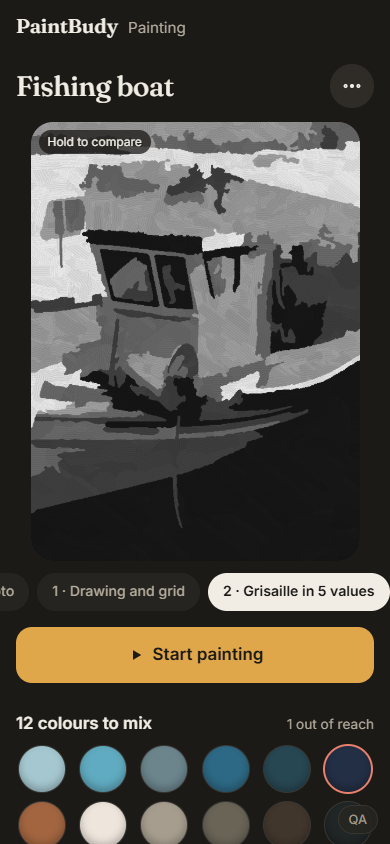
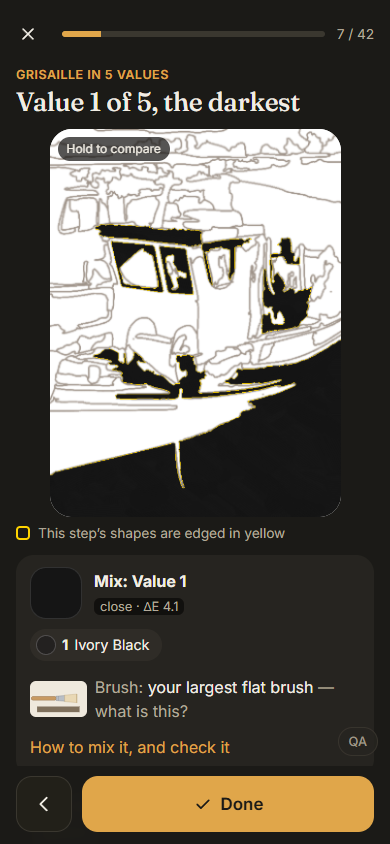
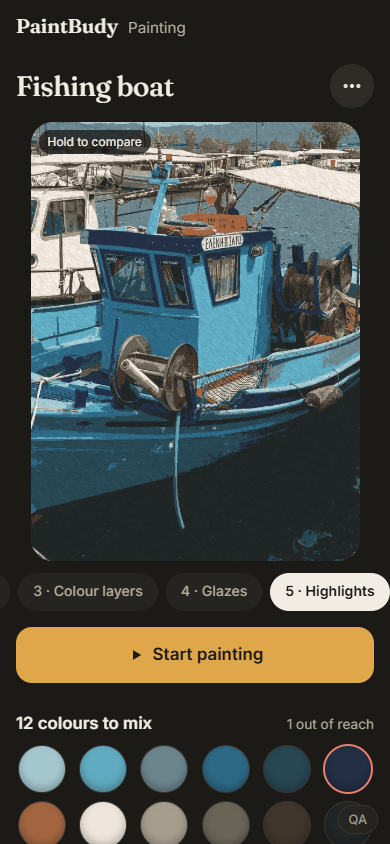
Screens from the sample lesson in the app.
Get in touch
Tell us a little about yourself and what you'd use it for. A real person reads every message.
Or write to hello@aioscloud.co.uk.